CNC milling can produce highly accurate parts, but even a well-programmed process can develop defects when tooling, workholding, cutting parameters, material behavior, or machine condition are not properly controlled. Some problems are easy to recognize immediately, while others only become visible during inspection or assembly.
Poor surface finish, dimensional errors, chatter marks, burrs, tool marks, and wall deformation are among the most common issues seen in CNC-milled parts. These defects can appear for different reasons, and the visible symptom does not always reveal the true root cause.
For example, a rough wall finish may result from a worn cutter, excessive tool overhang, poor chip evacuation, or unstable workholding. Simply reducing feed rate may improve the appearance temporarily without actually solving the underlying process problem.
This guide explains four common CNC milling defects, what typically causes them, how they appear on finished parts, and practical methods that can be used to correct or prevent them.
Why CNC Milling Defects Happen
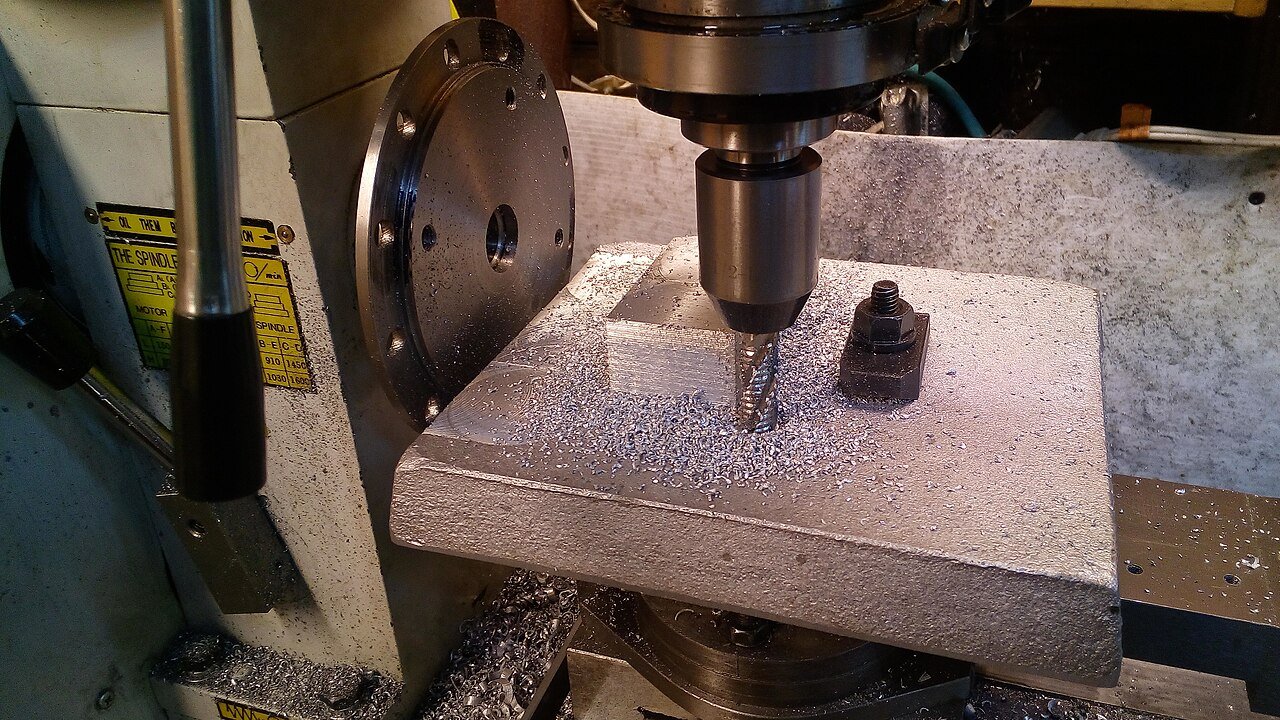
Most CNC milling defects are caused by variation somewhere in the machining system.
That system includes more than the CNC machine itself. Tool rigidity, spindle condition, cutter geometry, fixture stability, workpiece material, coolant delivery, cutting parameters, CAM strategy, and inspection method all influence the final result.
A machining center may position accurately while the cutting tool bends under load. The tool may follow the correct path while the workpiece moves slightly in the fixture. A dimension may be correct when measured immediately after machining but change after a thin aluminum part is unclamped and residual stress is released.
This is why defect troubleshooting should focus on the entire process rather than simply changing spindle speed or feed whenever a problem appears.
The four defects below are among the most common in CNC milling.
1. Poor Surface Finish

Poor surface finish is one of the easiest milling defects to see but one of the hardest to diagnose correctly because many different problems can produce a similar appearance.
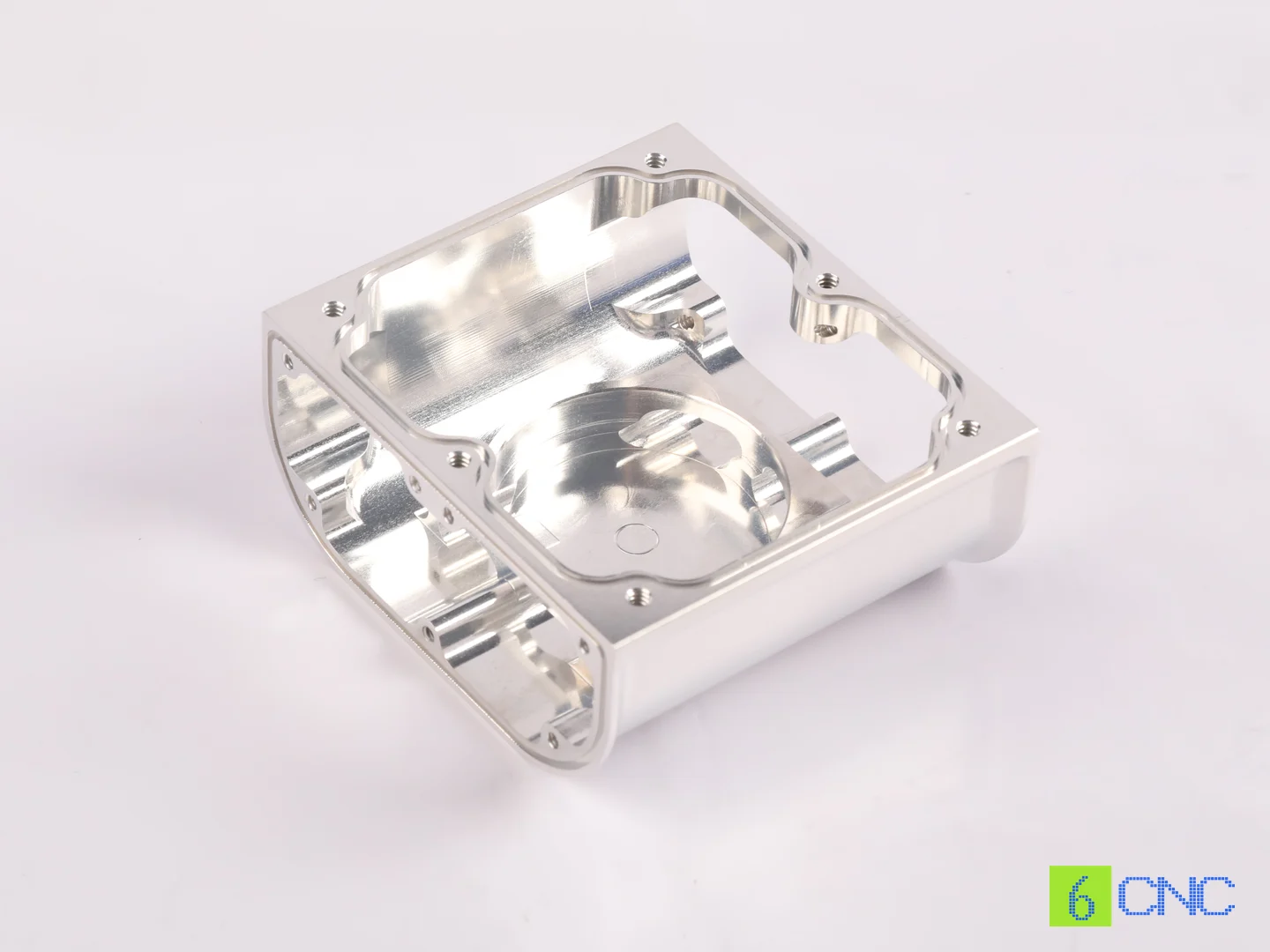
The finished surface may show visible cutter marks, tearing, rough patches, uneven texture, scratches, smeared material, or inconsistent reflectivity. On precision components, poor surface quality may also interfere with sealing, sliding contact, optical performance, fatigue life, or coating adhesion.
A cosmetic surface on an aluminum electronics housing and a sealing face on a hydraulic component may both appear “rough,” but the acceptable surface condition and likely causes can be completely different.
Common Causes of Poor Surface Finish
Worn or damaged cutting tools
As a cutter wears, the cutting edge becomes less sharp. Instead of shearing material cleanly, the tool may begin rubbing or pushing against the surface.
This is particularly noticeable in aluminum, where a damaged cutting edge can produce smearing or built-up edge. In stainless steel or titanium, worn tools may generate more heat and leave irregular tool marks.
Tool wear is often gradual. The first ten parts in a batch may look excellent while later parts begin showing visible deterioration.
This is why relying only on final visual inspection can be risky in small-batch production.
Excessive tool overhang
A long end mill behaves less rigidly than a short one.
If the tool extends far from the holder, cutting forces can cause slight deflection or vibration. The machine may still follow the programmed toolpath correctly, but the cutter itself moves under load.
Deep pockets and tall side walls are especially vulnerable.
Imagine machining a 50 mm deep aluminum housing using a long 6 mm end mill. Even if the tool reaches the geometry, the long unsupported length can cause vibration, leaving vertical chatter patterns or inconsistent wall texture.
Incorrect cutting parameters
Feeds and speeds that are too aggressive can generate excessive force or vibration. Parameters that are too conservative can also create problems.
If feed per tooth becomes too low, the cutter may rub instead of forming a clean chip.
This can increase heat and worsen surface quality.
Chip recutting
In deep pockets or slots, chips may remain near the cutting zone. Instead of leaving the workpiece, they are caught between the cutter and the machined surface and cut again.
This can scratch finished walls and floors.
Aluminum is particularly sensitive because chips may also weld to the cutting edge.
Workpiece or fixture vibration
Sometimes the tool is not the weak part of the system.
Thin-wall components, long plates, or poorly supported features can vibrate during machining. A rigid cutter cannot produce a stable finish if the workpiece itself is moving.
How to Improve Surface Finish
The first step is identifying whether the problem comes from the tool, toolpath, fixture, or workpiece.
Possible solutions include:
- replacing worn cutting tools;
- reducing tool overhang;
- using more rigid toolholders;
- optimizing spindle speed and feed;
- reducing radial or axial engagement;
- improving coolant or air blast;
- improving chip evacuation;
- adding a dedicated finishing pass;
- reducing stock left for the final pass;
- improving workholding and support.
For precision walls, it is often better to rough the feature first and leave a controlled amount of material for finishing.
The finishing pass can then be performed with lower engagement and lower cutting forces, allowing the cutter to follow the intended geometry more accurately.
Surface finish should also be measured when it has a functional requirement. A part can look visually smooth while still failing a specified Ra value.
2. Dimensional Inaccuracy and Out-of-Tolerance Features
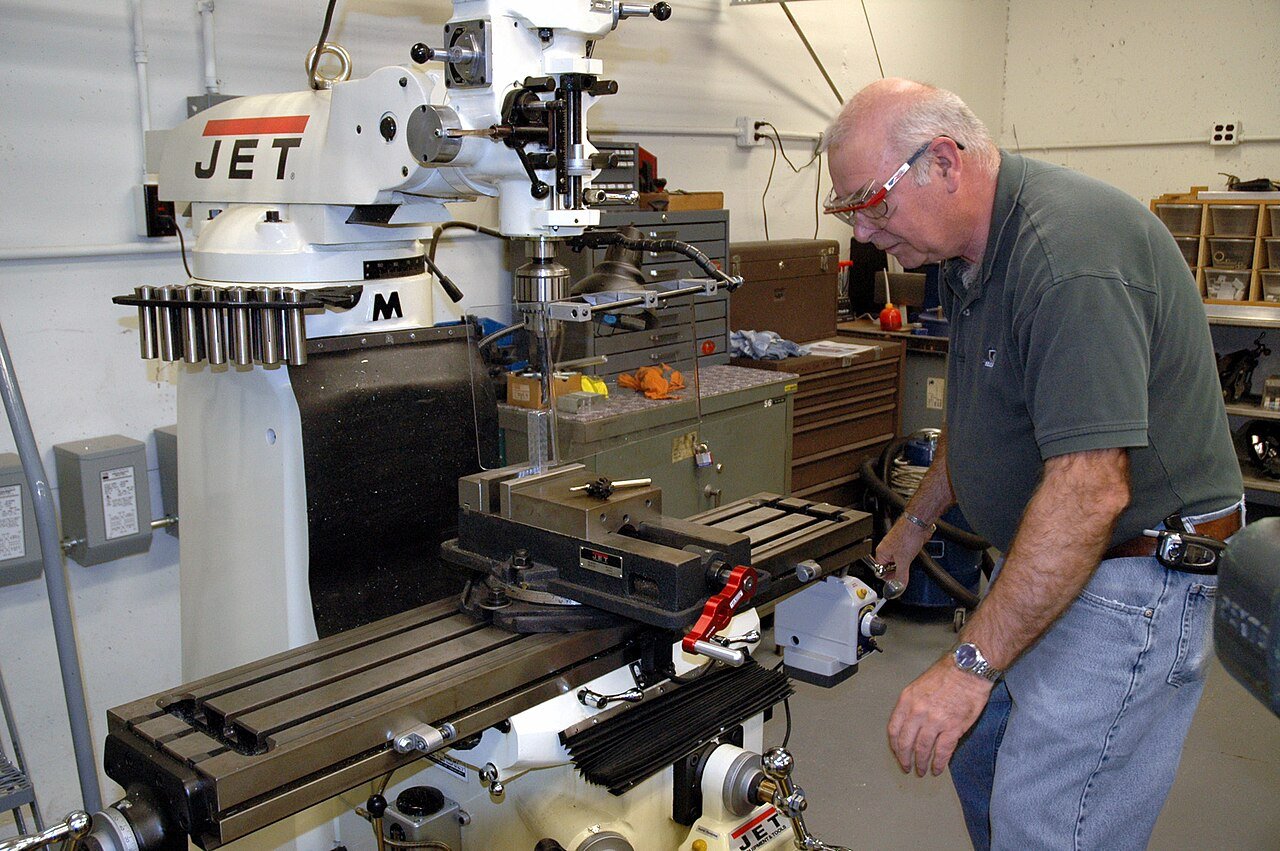
A CNC machine follows programmed coordinates, but this does not guarantee that every feature will match those coordinates exactly after machining.
Dimensional inaccuracies can appear as:
- holes that are too large or too small;
- wall thickness variation;
- incorrect pocket dimensions;
- inaccurate hole spacing;
- tapered walls;
- incorrect overall part size;
- poor perpendicularity;
- position errors between related features.
These problems become more serious when several dimensions interact.
For example, a bearing housing may require an accurate bore diameter, correct center distance, and perpendicularity relative to a mounting surface. Each individual feature may appear acceptable, while the complete assembly still fails because their geometric relationship is incorrect.
Tool Deflection Can Change Dimensions
One of the most common causes of dimensional error is tool deflection.
When a cutter experiences lateral force, it bends slightly away from the workpiece. The amount of movement may be small, but on a tight-tolerance part even a few hundredths of a millimeter can matter.
Tall walls, deep pockets, small-diameter tools, and long tool overhang increase this risk.
Suppose a 4 mm end mill is finishing a deep narrow pocket in stainless steel. Higher cutting forces combined with a long cutting tool can cause the cutter to bend away from the wall.
The result may be a pocket that measures smaller near the bottom than near the top.
The machine coordinates may be correct. The geometry error comes from cutting mechanics.
Workpiece Deformation Can Also Create Dimensional Error
Thin or flexible components may distort during machining.
A thin aluminum plate can be pulled against a fixture by clamps. The surface is then machined flat while the part is stressed.
Once the clamps are removed, the workpiece relaxes and changes shape.
Thin-wall housings can behave similarly. Cutting pressure may push the wall away from the cutter, producing thickness variation or taper.
Residual stress inside the raw material can also cause movement as material is removed.
This is particularly common when machining:
- large aluminum plates;
- thin aerospace structures;
- lightweight housings;
- asymmetrical parts;
- heavily pocketed components.
Thermal Effects Matter on Precision Parts
Machining creates heat.
The workpiece, tool, spindle, and machine structure all change temperature during production.
For general-purpose tolerances, this may have little practical effect. For tight-tolerance parts, thermal expansion can become significant.
A long aluminum component measured while warm may not have exactly the same dimensions after it cools.
Machine warm-up can also influence positioning and spindle behavior.
How to Correct Dimensional Errors
The appropriate solution depends on where the error originates.
Potential improvements include:
- reducing finishing engagement;
- shortening the cutting tool;
- improving fixture rigidity;
- leaving consistent finishing stock;
- roughing and finishing in separate operations;
- using semi-finishing for difficult geometry;
- compensating for controlled tool wear;
- monitoring thermal conditions;
- allowing parts to stabilize before final inspection;
- probing critical features during machining.
For tight-tolerance parts, process inspection is particularly useful.
If a critical dimension is drifting across a batch, the problem can be corrected before dozens of parts are completed.
This is much more effective than discovering the issue only during final inspection.
3. Chatter and Vibration Marks
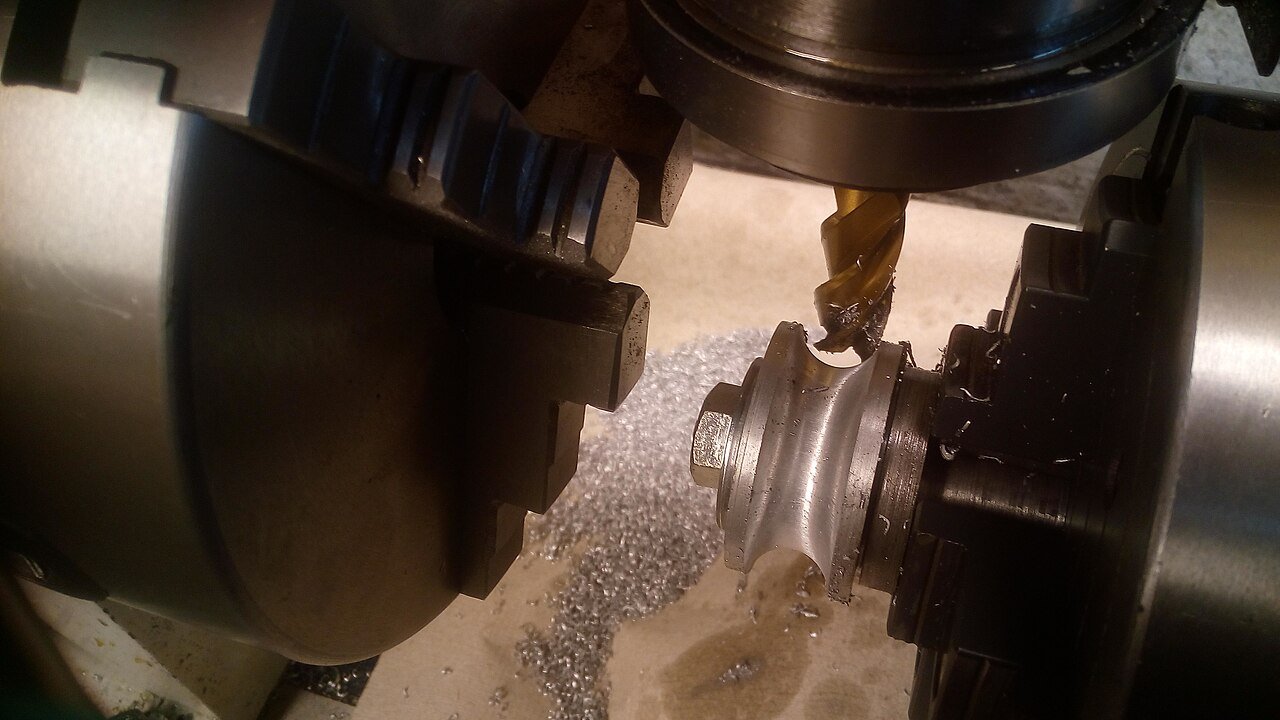
Chatter is one of the most recognizable CNC milling defects.
It often appears as repeating waves, ripples, or irregular patterns on the machined surface. In severe cases, the machine may produce a loud or changing cutting sound while the cutter vibrates visibly.
Chatter is not simply “noise.”
It is a dynamic instability within the machine-tool-fixture-workpiece system.
Once vibration becomes self-reinforcing, surface quality deteriorates rapidly and cutting-tool life may fall dramatically.
What Causes CNC Milling Chatter?
Long tool overhang
This is one of the most common causes.
The longer the cutting tool extends from the holder, the less rigid the system becomes.
Deep cavities and tall walls often force machinists to use long tools, which makes these operations particularly vulnerable to chatter.
Weak workholding
A rigid tool cannot compensate for a moving part.
If the workpiece is not properly supported, cutting forces may cause it to vibrate.
This frequently occurs in thin plates, long components, and large housings.
Aggressive cutter engagement
When too much of the cutter engages the material, cutting forces increase.
Deep radial engagement, heavy axial depth, or sudden corner engagement can trigger unstable vibration.
A toolpath that works well along a straight wall may begin chattering when the cutter enters a tight corner because engagement increases suddenly.
Unsuitable spindle speed
Chatter is frequency-related.
Sometimes reducing spindle speed helps. In other cases, increasing spindle speed moves the process away from an unstable vibration zone.
This is why automatically slowing everything down does not always solve chatter.
Worn tooling
A worn cutting edge increases cutting forces and may create less stable engagement.
As the tool deteriorates, an operation that previously ran smoothly can begin producing vibration marks.
Example: Deep Pocket Chatter
Consider a deep pocket in 7075 aluminum.
The top 20 mm of the cavity machines cleanly because the cutter is short and rigid. The lower section requires a longer tool.
As the cutter reaches deeper into the part, vibration begins and the walls show repeating marks.
Reducing feed may help slightly, but if tool overhang remains excessive, the real weakness has not changed.
A better solution may involve roughing the upper section with a short tool, then switching to a longer tool only for the lower region.
Five-axis positioning can sometimes provide an even better solution by improving access and allowing a shorter cutter.
How to Reduce CNC Chatter
Possible corrections include:
- reducing tool overhang;
- increasing tool diameter where geometry allows;
- improving toolholder rigidity;
- strengthening the fixture;
- supporting thin features;
- changing spindle speed;
- reducing radial engagement;
- optimizing axial depth;
- using constant-engagement toolpaths;
- replacing worn tools;
- changing cutter geometry or flute count.
It is often useful to change one major variable at a time rather than changing everything simultaneously.
If the process suddenly becomes stable after shortening the cutter, tool rigidity was probably the primary issue.
If vibration remains unchanged, fixture or workpiece rigidity may deserve more attention.
4. Burrs, Sharp Edges, and Edge Breakout
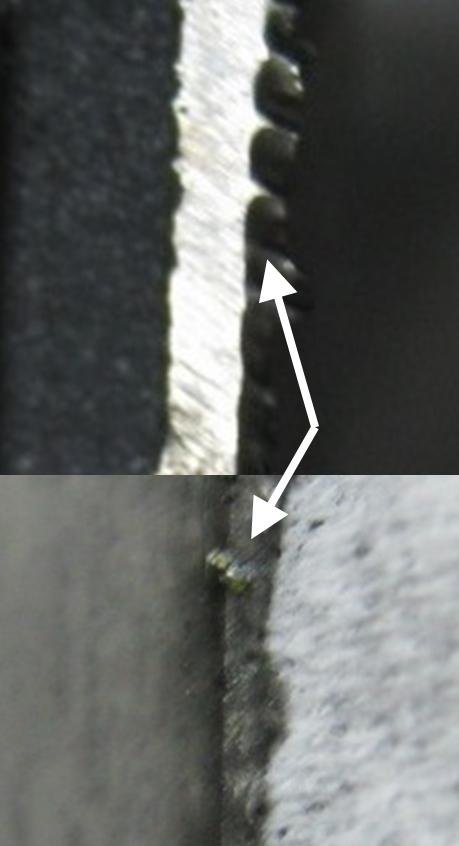
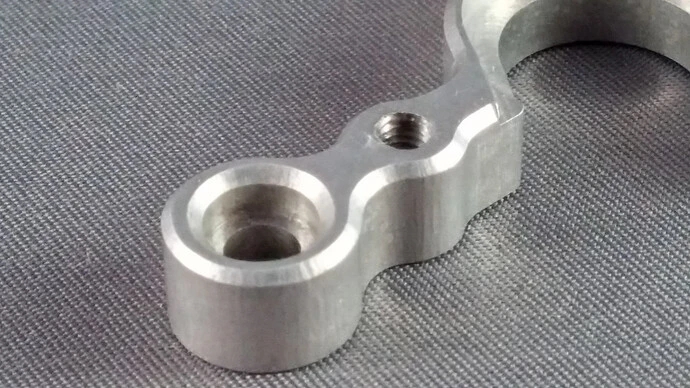
Burr formation is another common CNC milling defect, especially around hole exits, slots, thin edges, intersections, and the perimeter of machined parts.
A burr is unwanted material that remains attached to the edge after cutting.
Small burrs may appear harmless, but they can create significant problems in precision components.
They can interfere with assembly, scratch mating parts, contaminate systems, create sharp handling hazards, or break loose during service.
In medical, optical, semiconductor, and fluid-system components, loose burrs or particles can be particularly unacceptable.
Why Burrs Form
During machining, material near an unsupported edge may deform rather than shear cleanly.
The cutter pushes material outward until it bends and remains attached to the edge.
Several factors affect the amount of burr formation:
- material ductility;
- cutter sharpness;
- feed rate;
- cutting direction;
- tool wear;
- edge support;
- feature thickness.
Aluminum, copper, and some stainless steels can produce noticeable burrs because they are relatively ductile.
Plastics may produce a different type of edge deformation depending on temperature and tool sharpness.
Hole Exit Burrs
Drilled or milled holes often produce burrs where the cutting tool exits the material.
When the remaining material becomes very thin, it is no longer sufficiently supported and may deform before being completely cut.
This is why through-holes can have a clean entry side but a rough or raised exit edge.
Thin Edge Breakout
Thin features can experience more serious damage than ordinary burrs.
A cutter leaving an unsupported edge may chip or tear material away, particularly in brittle materials or very thin geometry.
This may appear as:
- corner breakout;
- edge chipping;
- torn surfaces;
- irregular wall edges.
How to Reduce Burr Formation
Possible machining improvements include:
- using sharp cutting tools;
- replacing worn cutters;
- optimizing feed and cutting direction;
- changing the order of machining operations;
- supporting thin edges;
- modifying exit direction;
- using chamfers or edge breaks in the design;
- applying a controlled deburring process.
Deburring methods may include:
- manual deburring;
- brushing;
- abrasive finishing;
- tumbling;
- blasting;
- machining a chamfer;
- thermal or specialized deburring processes.
The correct method depends on part geometry and surface requirements.
Manual deburring may be acceptable for a simple aluminum bracket, while a complex precision manifold containing intersecting internal passages may require a much more controlled approach.
Comparison of Common CNC Milling Defects
| Defect | Typical appearance | Common causes | Common solutions |
|---|---|---|---|
| Poor surface finish | Cutter marks, tearing, scratches, uneven texture | Worn tools, vibration, chip recutting, poor parameters | Replace tooling, improve rigidity, optimize parameters, use finishing passes |
| Dimensional inaccuracy | Oversize/undersize features, taper, location error | Tool deflection, part movement, thermal effects, fixture error | Improve workholding, reduce finishing load, inspect during machining |
| Chatter | Repeating waves, vibration marks, loud unstable cutting | Long tools, weak fixtures, unstable spindle speed, heavy engagement | Reduce overhang, adjust speed, improve fixture, reduce engagement |
| Burrs | Raised edges, sharp material, breakout | Ductile material, worn tools, unsupported edges | Use sharp tooling, optimize toolpath, add chamfers, deburr |
Other CNC Milling Problems You May See
Although the four defects above are especially common, milling processes can also develop other problems that are closely related.
Tool Marks Between Passes
Visible lines may appear where adjacent finishing passes overlap. This can happen because of tool runout, stepover selection, cutter wear, or slight differences in tool height.
This is often noticeable on large flat cosmetic surfaces.
A face mill with poorly adjusted inserts can leave irregular transition marks. Similarly, a small end mill making multiple passes across a broad surface may leave visible witness lines.
Built-Up Edge
Built-up edge occurs when workpiece material sticks to the cutter.
This is especially common when machining aluminum.
Once material adheres to the cutting edge, the effective cutter geometry changes. Surface finish deteriorates and cutting forces can become unstable.
Sharp tooling, correct cutting speed, suitable lubrication, and good chip evacuation can reduce this problem.
Tool Breakage
Tool breakage is not itself a surface defect, but it can damage both the workpiece and machine.
Common causes include:
- excessive engagement;
- chip packing;
- incorrect feed;
- tool wear;
- collision;
- insufficient rigidity.
Small cutters and deep slots are especially vulnerable.
Part Distortion
Some parts leave the machine apparently correct but change shape after unclamping.
This is common in thin-wall or heavily machined components.
Residual stress, unbalanced material removal, and excessive clamping force are common causes.
In these cases, changing only the cutter or feed rate may not solve the problem. The complete machining sequence may need to be redesigned.
How to Troubleshoot a CNC Milling Defect
Troubleshooting is more effective when the problem is approached systematically.
The first step is to determine whether the defect is consistent or intermittent.
If every part shows the same dimensional error, the cause may be program geometry, tool compensation, or fixture setup.
If only later parts in a batch begin to fail, tool wear or thermal change may be more likely.
If the defect appears only in one section of a complex feature, local cutter engagement or rigidity may be the issue.
A useful troubleshooting sequence is:
- Inspect the cutting tool.
- Check tool overhang and holder condition.
- Confirm workholding and fixture rigidity.
- Review feeds, speeds, and cutter engagement.
- Examine chip evacuation and coolant delivery.
- Check whether the problem changes during the batch.
- Measure the defect rather than relying only on visual judgment.
- Review machining sequence if the part is thin or stress-sensitive.
This approach avoids the common mistake of changing cutting parameters repeatedly without identifying the actual cause.
How Tooling Influences Milling Defects
Cutting-tool selection can significantly change process behavior.
Tool diameter affects rigidity. Flute count influences chip space and cutting engagement. Tool coating affects heat resistance and wear behavior. Edge geometry changes cutting force and how the material forms a chip.
For example, an aluminum-specific end mill often uses sharp cutting edges and larger flute spaces to evacuate large chips efficiently.
A cutter designed for stainless steel may use different geometry and coating because heat resistance and edge strength become more important.
Using an inappropriate tool may still remove material, but it can increase the probability of poor finish, heat buildup, chip packing, or accelerated wear.
Toolholders also matter.
Runout causes one cutting edge to remove more material than another. This creates uneven tool wear and can reduce surface quality.
On small-diameter tools, even relatively small runout can significantly change the effective chip load on individual flutes.
How Workholding Influences Milling Quality
A CNC machine can only control the position of the cutting tool relative to the fixture.
If the workpiece moves inside that fixture, the machine cannot compensate automatically.
Poor workholding may cause:
- dimensional variation;
- chatter;
- poor flatness;
- inconsistent wall thickness;
- surface marks;
- part distortion.
More clamping force is not always the solution.
A thin aluminum housing can be distorted by excessive clamping pressure. When the part is released, it returns toward its natural shape and the machined dimensions change.
The objective is stable support with enough clamping force to resist machining loads without unnecessarily deforming the workpiece.
Custom soft jaws, vacuum fixtures, modular fixturing, sacrificial supports, or purpose-built fixtures may be used depending on part geometry.
Preventing Defects During Small-Batch Production
A process that produces one good part is not necessarily stable enough for a batch.
Tool wear, chips in fixtures, offset adjustment, temperature change, and material variation can slowly change the process as production continues.
This is why small-batch precision machining should include process-control points rather than depending exclusively on final inspection.
For example, if a batch contains 100 housings with a critical precision bore, the bore diameter can be checked periodically during production.
If measurements begin trending toward the upper tolerance limit, the manufacturing team can inspect tool condition or adjust the process before nonconforming parts are produced.
The same approach can be applied to:
- bearing seats;
- sealing surfaces;
- precision wall thickness;
- hole positions;
- critical overall dimensions.
First Article Inspection is also valuable before releasing a complete batch.
The first finished component can confirm that the program, setup, tooling, and inspection method are all working together correctly.
Design Decisions That Help Prevent Milling Defects
Manufacturing defects are not always caused by poor machining.
Some are made more likely by part geometry.
Extremely thin walls, deep narrow pockets, tiny internal corner radii, inaccessible features, and unnecessary tight tolerances all make the milling process less stable.
For example, a deep cavity with a very small internal corner radius may force the machine shop to use a small-diameter, long-reach cutter.
That combination significantly reduces rigidity.
Increasing the corner radius slightly may allow a larger tool to be used, improving both machining time and surface quality.
Similarly, a very thin wall may be functionally unnecessary.
Increasing thickness by even a small amount can greatly improve workpiece rigidity.
This is why DFM review is useful before production begins. The objective is not to simplify the design at any cost, but to identify geometry that creates manufacturing risk without providing functional value.
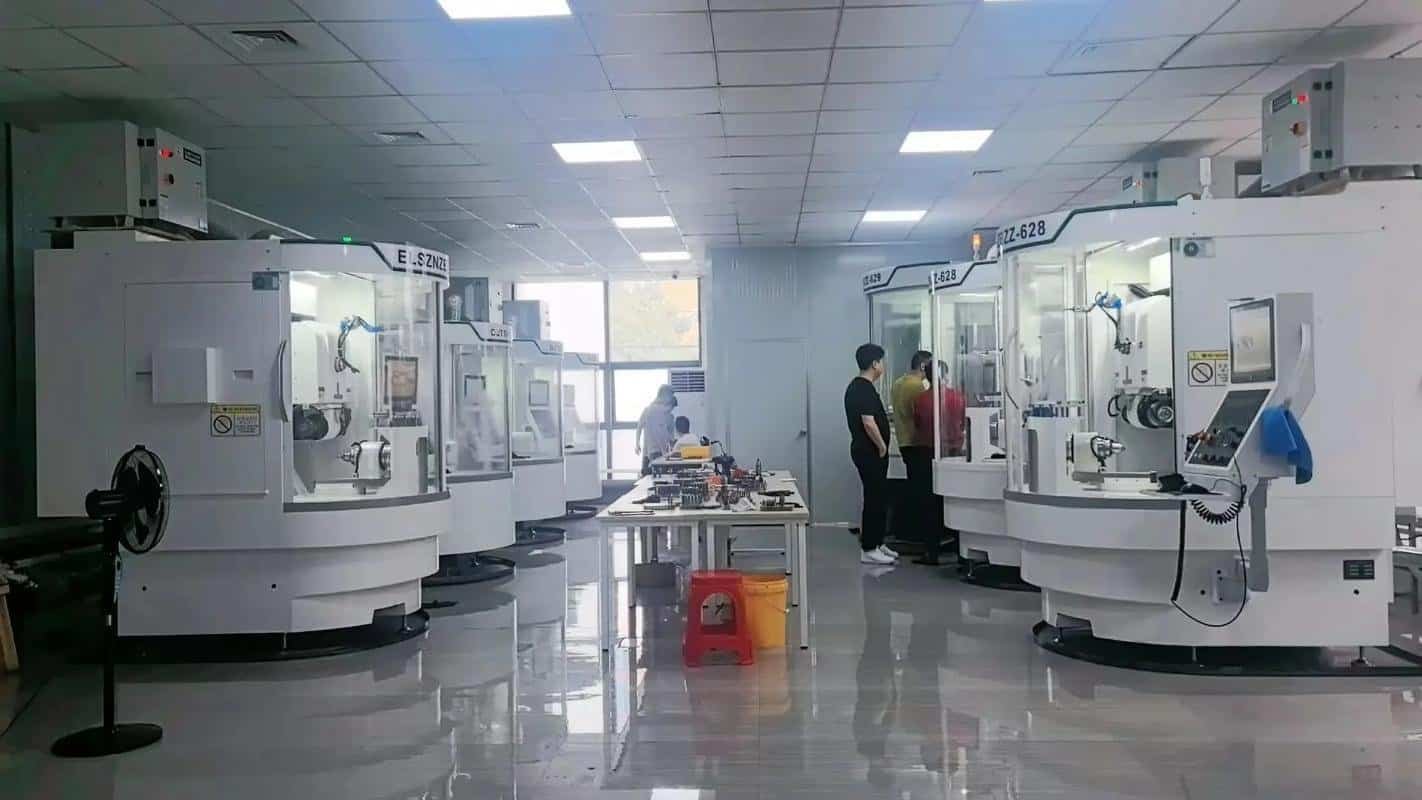
How 6CNC Controls CNC Milling Quality
At 6CNC, defect prevention begins with process planning rather than waiting for final inspection.
For precision milling projects, the manufacturing approach may consider:
- datum selection;
- workholding;
- machining sequence;
- cutting-tool access;
- tool overhang;
- roughing and finishing strategy;
- critical tolerances;
- expected deformation;
- inspection requirements.
A complex part may require CNC milling, 5-axis machining, grinding, Wire EDM, or other secondary processes rather than forcing every feature into one machining method.
Inspection can include CMM, optical measurement systems, gauges, micrometers, calipers, surface roughness measurement, and material verification according to project requirements.
For prototype-to-small-batch production, critical dimensions can also be monitored during manufacturing so that process drift is identified before it affects the entire batch.
The goal is not simply to inspect defects after they occur.
It is to create a machining process that reduces the likelihood of those defects appearing in the first place.
Final Thoughts
The four most common CNC milling defects—poor surface finish, dimensional inaccuracies, chatter, and burr formation—are rarely caused by one isolated mistake.
They usually result from interaction between tooling, workholding, cutting parameters, workpiece geometry, material behavior, and machining sequence.
The visible defect is therefore only the starting point.
A rough surface may actually be a rigidity problem. A dimensional error may come from workpiece deformation rather than machine accuracy. Chatter may require a different tool length or spindle speed rather than simply a lower feed rate. Burrs may be reduced through toolpath planning before secondary deburring is even necessary.
Effective CNC troubleshooting focuses on root cause rather than appearance.
For precision parts, this becomes especially important when moving from a successful prototype into small-batch production. The process needs to remain stable not only for the first part, but throughout the complete production run.
If you are experiencing machining defects or developing a part with difficult tolerances, thin walls, deep cavities, complex geometry, or demanding surface requirements, 6CNC can support the project from DFM review through prototype and small-batch precision machining.
Send your CAD files and engineering drawings to 6CNC for manufacturing review and quotation.
Frequently Asked Questions
What are the most common CNC milling defects?
Common milling defects include poor surface finish, dimensional inaccuracies, chatter or vibration marks, burrs, tool marks, part distortion, and built-up edge.
What causes poor surface finish in CNC milling?
Poor finish may result from worn tools, excessive tool overhang, vibration, poor chip evacuation, unsuitable feeds and speeds, or unstable workholding.
Why does a CNC-milled wall become tapered?
Wall taper commonly occurs because the cutting tool deflects under lateral cutting forces. The effect becomes greater with small-diameter tools, long overhang, deep walls, or difficult materials.
How can CNC chatter be reduced?
Chatter can often be reduced by shortening tool overhang, improving fixture rigidity, changing spindle speed, reducing cutter engagement, using a larger tool, or selecting a more stable toolpath.
What causes burrs in CNC milling?
Burrs form when material near an unsupported edge deforms instead of being cut cleanly. Ductile materials, worn tools, unsuitable cutting direction, and thin edges can increase burr formation.
Why do CNC parts change dimension after unclamping?
Thin or stress-sensitive parts may distort because of clamping force or residual stress. After the fixture is released, the component may return toward its natural shape.
Can cutting parameters alone solve milling defects?
Not always. Many milling defects are caused by rigidity, tooling, fixture design, workpiece geometry, thermal effects, or machining sequence. Changing feed and spindle speed without identifying the root cause may only hide the problem temporarily.
How do you prevent defects during small-batch CNC production?
A stable small-batch process typically uses controlled tooling, consistent workholding, First Article Inspection, in-process checks on critical dimensions, and tool-life management to detect variation before it produces nonconforming parts.